Skip to content
Levati

Images and videos, smaller on their own.

Levati lives in your Mac's menu bar. New screenshots, photos and videos get smaller the moment they land on your desktop, a typical screenshot by 90 percent. Everything stays on your Mac, and every original comes back with one click.

Screenshots

One screenshot: 1.22MB becomes 146KB.

That's a typical MacBook Pro screenshot before and after. Levati halves the Retina resolution and then repacks the PNG, without a difference you can see.

Measured on 24 captures with text, interfaces and photos. How we measured
Original1.22MB
Half size551KB
Repacked146KB
Text
−89%
Interface
−92%
Photo
−92%

Engines

Three engines, one for each format.

Levati doesn't use one compressor for everything. Each format gets the engine that gains the most there. If there's nothing to gain, the file stays as it is.

  • PNG

    pngquant and oxipng

    For screenshots, where Levati gains the most: fewer colors where nobody can tell, then repacked losslessly. With half resolution, a typical screenshot gets 90 percent smaller.

  • JPG

    jpegli

    For photos. They are already compressed, so there's less to gain: about 10 percent at the same quality, and only for photos from a high-quality source. All others stay untouched, a second pass only costs quality.

  • MOVMP4

    Media Engine

    For videos, through AVFoundation right on the Apple chip: Share in H.264, Small in HEVC, or a target size in MB that is never exceeded.

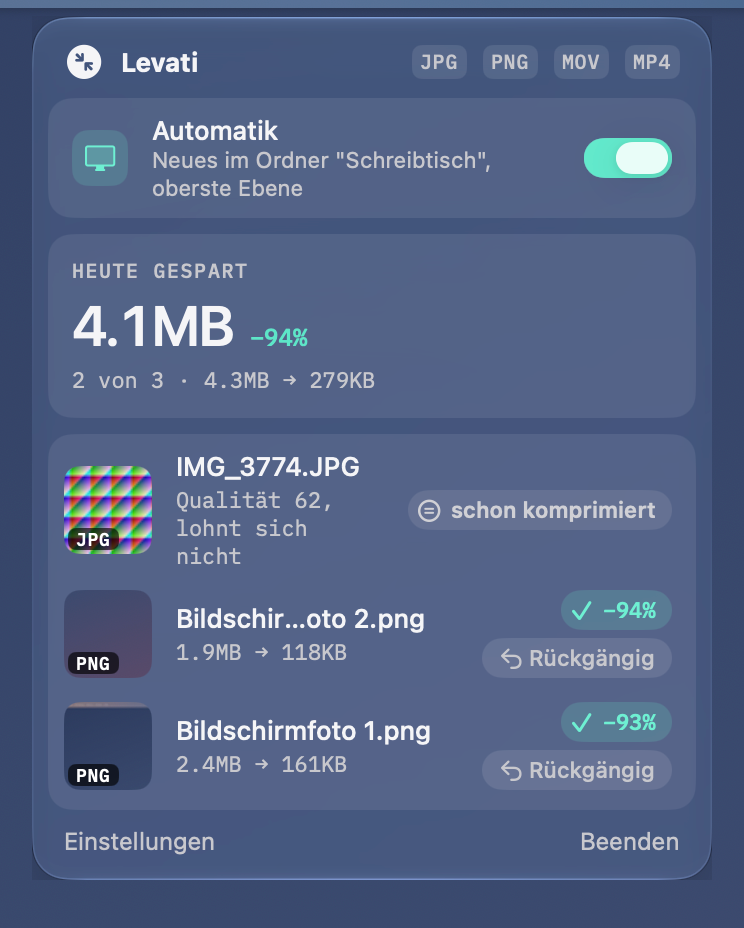
Levati's window with Automatic, space saved today and the latest results

Settings

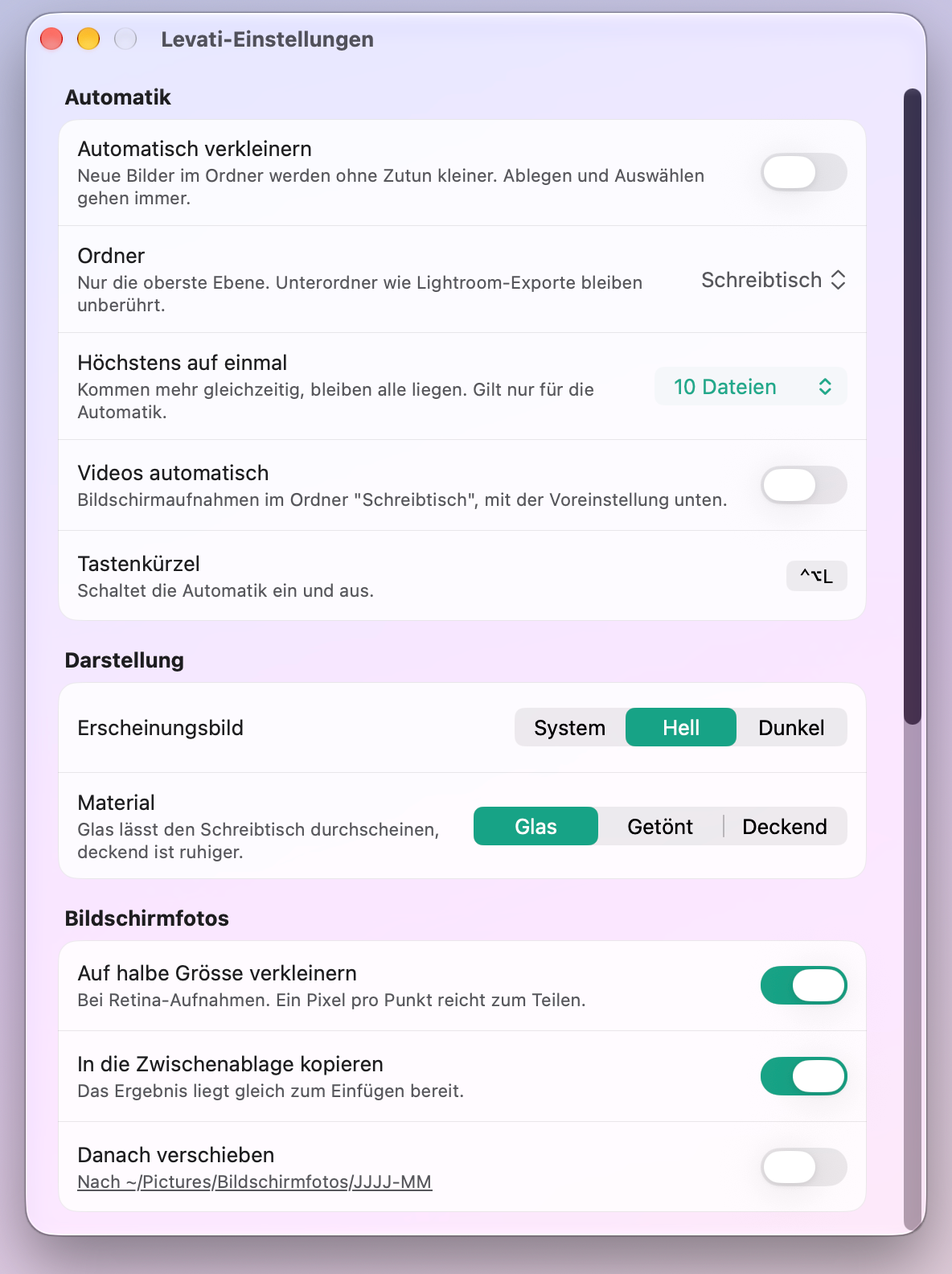
Everything on one page, in Liquid Glass.

You decide which folder is watched, where the notice appears and how the window looks.

Automatic
Pick a folder, top level only, ask from 10 files, include videos, shortcut ⌃⌥L
Appearance
Glass, tinted or solid, light, dark or like the system
Screenshots
Half size, straight to the clipboard, then move to a folder
Notices
At the notch, top right or bottom right
Levati's settings in glass with Automatic, Appearance and Screenshots
  • LocalNothing leaves your Mac.No account, no upload, no cloud. Levati does the work on your Mac, even offline.
  • UndoEvery original comes back.The original sits in the Trash, the result takes its place. One click in Levati brings it back, even after a restart.
  • LocationYour photos don't give away a place.Levati removes where a photo was taken before you share it. Your copyright and the color profile stay in.

The alpha starts soon.

Leave your email and we'll write once you can try Levati, for macOS 27 and later. Just that one email, unsubscribe any time.